Your Xero data,
finally interpreted.
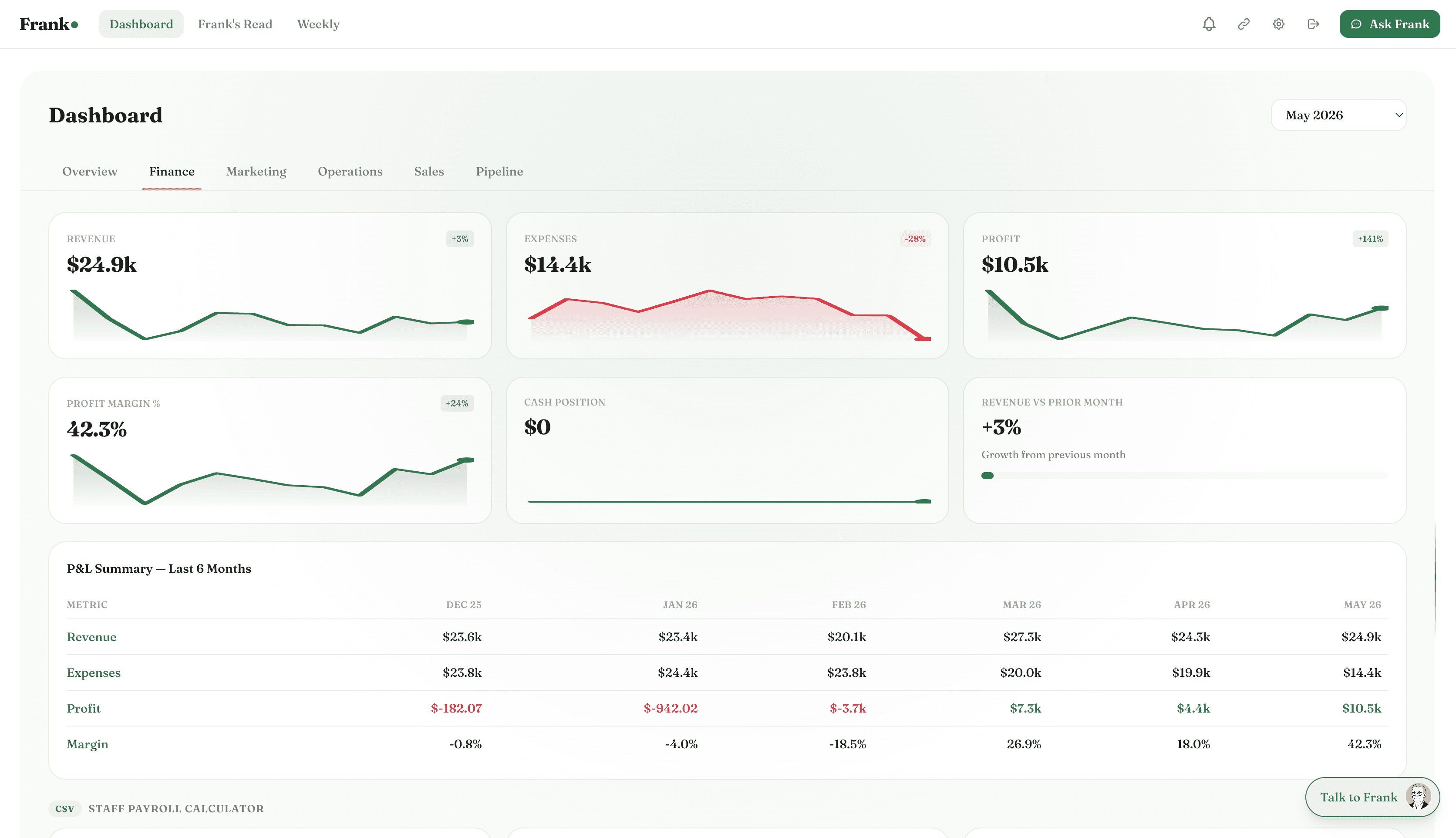
Frank connects to Xero and translates your P&L, cash position, and margins into plain English. No accounting degree required.
No credit card required
Xero + Frank
Connected
What Frank pulls from Xero
Frank reads your Xerodata automatically — no exports, no manual entry. Here's what he looks at.
P&L statement
Revenue, cost of goods, gross profit, and net profit — updated as Xero syncs.
Bank feeds
Cash in account and recent transactions pulled directly from your connected bank.
Accounts receivable
Outstanding invoices, overdue amounts, and how long each has been waiting.
Accounts payable
Bills owed to suppliers, due dates, and upcoming payment obligations.
Revenue by account
Breakdown of income by account code or tracking category.
Expense categories
Costs broken down by type — payroll, contractors, software, rent, and more.
What Frank does with your Xero data
Frank doesn't just display the numbers — he reads them, connects them to the rest of your business, and tells you what matters.
Your P&L profit is $18,400. Your cash is actually tighter.
$34,000 in invoices are overdue 45+ days. That's not in the P&L — it's in your receivables. Frank reads both and tells you the real picture, not just what Xero's summary shows.
Payroll grew 19% while revenue grew 11%.
Frank tracks the ratio between your cost lines and revenue over time. When payroll outpaces revenue for 3 consecutive months, he flags it — before it compresses your margin to unsustainable levels.
Your biggest expense category jumped 28% in Q1.
Frank compares each expense category month-on-month. When contractor costs, software subscriptions, or any other line starts accelerating, he calls it out — with the specific number and the trend.
Connected in under 2 minutes.
One-click OAuth. No API keys, no CSV exports, no developer required.
Connect Xero
Click 'Connect Xero' in your Frank integrations page. You'll be redirected to Xero to authorise access.
Frank reads your history
Frank pulls up to 12 months of P&L, bank feeds, and receivables. Takes about 60 seconds.
Get your first financial read
Your next weekly briefing includes a full financial summary — plain English, no accountant needed.
Also connects with

Your Xero data,
finally working for you.
Connect Xero in under 2 minutes. Frank starts reading your data immediately and delivers your first briefing within 24 hours.
No credit card required